01
One tap
Save a template for the cases you do every week. Tap it. Logged.
Anaesthetic logbook for UK practice
Probably the fastest and most capable anaesthetic logbook available.
Certainly the only one with a tiny pixel theatre…

Two speeds
01
Save a template for the cases you do every week. Tap it. Logged.
06
As few as six taps once LogBookAnaes has learned your usual answers. Anything new is handled by the same guided form, one decision at a time.
Counted against the current guided WebApp flow on 4 August 2026. The shortest route uses choices learned from at least three matching cases.
Phone demonstrations
A routine case through Add Case, then a saved One Tap Template from selection to Case saved.
22 seconds
The guided form uses choices learned from previous cases, then lets you review and save the record.
12 seconds
Choose a saved template. The case is logged immediately and remains available to review or undo.
Studio Desktop workspace
Some things belong on a desktop. Bringing in an old logbook. Clearing a backlog of a whole list at once. Building a report the week before appraisal. Studio does all three, and everything syncs back to your phone.
Studio Pick up where you left off: upload your LLP export, preview the full result, then continue logging in LogBookAnaes.
The LLP importer brings across anaesthetic cases, ICU, pain, stand-alone procedures and sessions. Detail stays with the case it belongs to, and nothing is added until you confirm.
Studio Add a batch on a desktop, review it as one list, then commit the cases together.
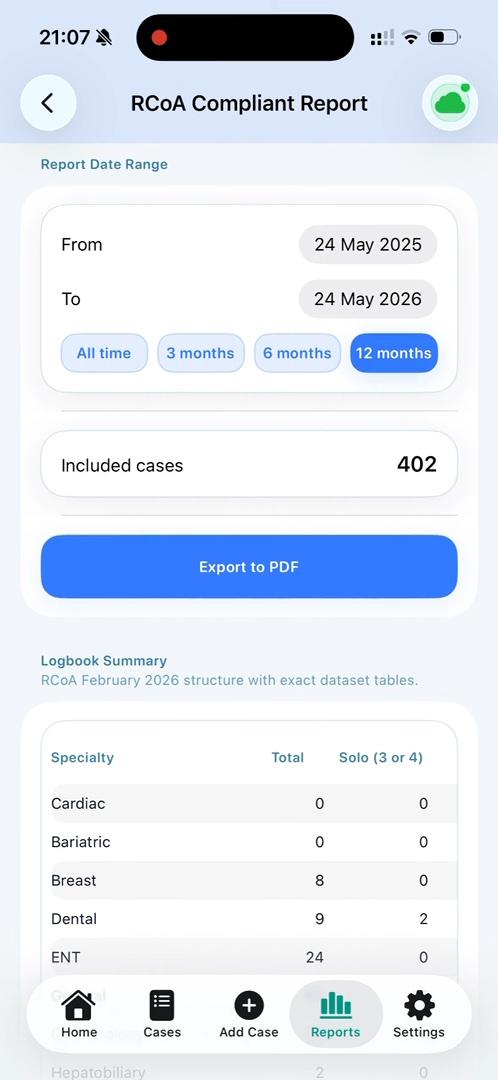
Studio Filter the period, check the totals and export the evidence you need for appraisal or ARCP.
No sign-in required. The LLP importer demo uses a fictional workbook and the Studio sample uses 2,605 fictional cases; neither is connected to an account.

RCoA-aligned reporting
Routine logging is only half the job. LogBookAnaes turns structured case data into summaries for ARCP, appraisal and portfolio discussions, with date filters and breakdowns for specialty, supervision, age groups and techniques.
The Royal College of Anaesthetists recommends its Lifelong Learning Platform, but recognises that trainees may use another solution when the logbook is presented in the format expected by ARCP panels. LogBookAnaes is independent of the College and is designed to help you prepare that evidence.
Read the current RCoA logbook guidance or our plain-English RCoA and ARCP guide.
Everywhere it works
The same cases move between phone and desktop when Pro sync is enabled. The free logbook stays on one device.
Native iOS
One Tap Templates, the guided form, sessions, other records and reports. Case entry works offline.
Android WebApp
Install the WebApp from a modern browser for phone case entry, logbook review and reports. Case entry works offline.

Studio Desktop
Use Studio for import, batch list logging and report preparation. Your logbook and reports also remain available through the WebApp in a desktop browser.
Explore 2,605 sample cases
Pricing
Sync, cloud backup and Studio cost money to run, so Pro pays for them. That’s the whole story.
Free
£0
A full logbook on one device, free, forever.
Pro
£10 / year
The same complete logbook, connected across devices.
Export works on both plans. If you ever stop paying, your cases stay readable and exportable — you never have to pay to get your own data back.
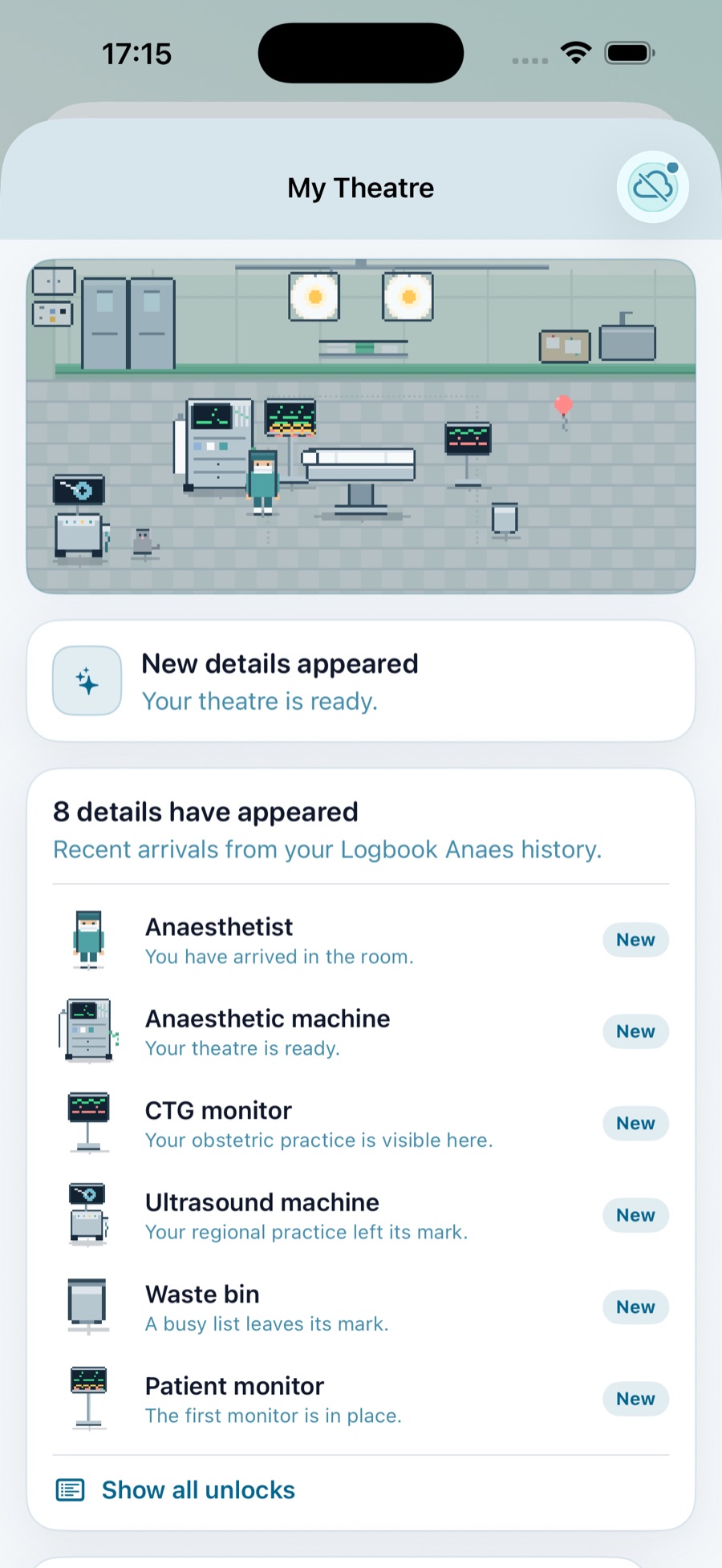
My Theatre
My Theatre is optional. It reflects activity in your own logbook while the core workflow stays focused on getting a case in and saved.
Made by an anaesthetist
Built by Tom Bennett, Consultant Paediatric Anaesthetist at University Hospital Southampton. The mechanics are the point: fewer repeated choices in theatre, a desktop for list work, and exports that remain yours.
Independent project; not affiliated with UHS.
Anaesthetic logbook guides
Getting started
What to record, how to keep entries useful and why export and backup matter.
Training and ARCP
The College position on LLP and alternative logbooks, without claiming approval.
Choosing an app
A checklist covering offline access, reports, export, privacy and devices.
Common questions
Enough structured information to show your case mix, techniques, procedures, supervision and experience over time, without directly identifiable patient details.
The RCoA says trainees may use another solution when the data is presented for ARCP in the format expected from its logbook summary. Check current local requirements with your supervisor.
No. LogBookAnaes is independent and is not affiliated with, endorsed by or operated by the Royal College of Anaesthetists.
Yes. You can log on the device without signal. Pro sync resumes when the device reconnects.
Your cases stay readable and exportable. Sync, cloud backup and Studio stop, but you never have to pay to get your own data back.
Export remains available in standard, readable formats. Keep regular exports as part of your normal backup routine.
Latest updates
Short notes about changes that are live now.
Improved cross-device restore and One Tap ordering.
Released the desktop workspace and its no-sign-in sample-data demo.
Improved Safari sign-in and workspace upgrade handling.
Contact
Found an error, need another import format, or have a practical suggestion?
hello@logbookanaes.com